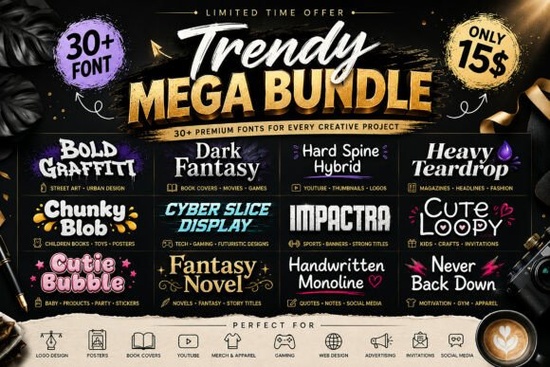
For designers and crafters who need variety without purchasing multiple individual font packs, the Trendy Mega Bundle Font offers a practical solution. This collection brings together over 30 fonts including styles like Western, Kids, Bubble, Horror, Fantasy, Handwritten, Serif, and Display Fonts. It’s designed to give you options for logos, social media, packaging, and more, all in one download. Instead of hunting for fonts one by one, you get a ready-to-use set that works across different project types.
What styles can you expect from this bundle?
The bundle covers a broad spectrum, so you’re likely to find something for nearly any theme. If you need a classic Western look, the American Western style is included. For a spooky or horror design, the Spooky Buddy font fits perfectly. There’s also a Lighting effect font that works well for bold headlines, and for grunge or horror projects, the Grimbleed style adds a distressed touch. The Trendy Mega Bundle itself is the core collection, but these individual style options show the range you can mix and match.
Beyond those, you’ll find bubble letters that are great for kid-friendly designs, handwritten scripts that feel personal, and serif fonts for a more formal look. The variety means you don’t have to install dozens of separate packs just drop this bundle into your font library and start experimenting.
How can this bundle help with print-on-demand and small business projects?
If you run a print-on-demand shop on platforms like Redbubble, Etsy, or Shopify, having multiple font styles in one place saves time. For t-shirt designs, the display and bubble fonts make text pop. For product labels or packaging, the handwritten and serif options give a professional finish. The bundle includes both uppercase and lowercase variants, so you can create all-caps slogans or elegant subheadings without switching fonts.
Small business owners often need to create their own branding materials. With over 30 fonts, you can test different looks for your logo, business cards, invoices, and social media banners. The American Western style could be perfect for a rustic brand, while Lighting adds energy to event posters. Having this range under one roof helps you stay consistent across your brand without overspending on individual licenses.
Is this bundle suitable for Cricut and other cutting machines?
Yes, many of the fonts in this bundle work well with Cricut Design Space, Silhouette Studio, and other cutting software. The bubble and display fonts, in particular, have thick strokes that are easy to weede and apply to vinyl. For instance, the Grimbleed style with its distressed edges can give a vintage look to mugs or signs. The handwritten fonts are also good for layered designs or monograms.
Since the files are standard TrueType or OpenType, importing them into cutting software is straightforward. You can adjust size and spacing within your project, so even thin fonts can be used if you scale them up carefully. If you frequently make home décor or personalized gifts, this bundle gives you plenty of options without needing to buy separate font packs for each project theme.
What advantages come with a bundled font collection like this?
Buying fonts individually can add up quickly, especially if you need different styles for different clients or seasons. A bundle like this gives you a one-time purchase that covers multiple needs. You also get the convenience of having all fonts in one download, which reduces the time spent searching and installing.
Another advantage is the ability to pair styles within the same bundle. For example, you can use a bold display font for your main headline and a clean serif for body text, both from the same package. This ensures visual harmony because the fonts are chosen to complement each other. Plus, the bundle includes Western, Horror, and Fantasy themes, so you can switch between genres without restarting your search. If you’re new to design, having these options helps you learn how different typefaces affect a layout.
Quick checklist before you get the Trendy Mega Bundle Font
- Check your project needs: Do you require multiple styles? This bundle covers Western, Kids, Bubble, Horror, Fantasy, Handwritten, Serif, and Display. If your work involves two or more of these, it’s a good fit.
- Confirm compatibility: Standard OTF/TTF files work in most design and cutting software. Verify that your preferred program supports these formats.
- Plan for usage: Since it’s a bundle, you can use different fonts for different clients or products. Create a folder with samples to quickly preview which font matches each project.
- Compare with individual purchases: Add up the cost of buying 5 or 6 separate fonts the bundle often becomes more cost-effective past that point. For instance, a single font like Handwritten might cost separately, but here it is included with many others.
Once you have the bundle, take a few minutes to test each font on a sample phrase. Note which ones work best for headlines versus body text. This way, when a project comes up, you already know which font to reach for without trial and error.
Get Started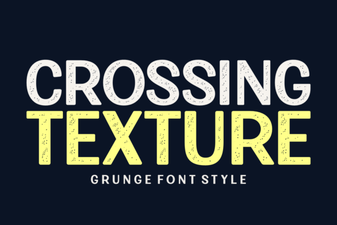 Textured Typography: Design Styles and Font Pairings
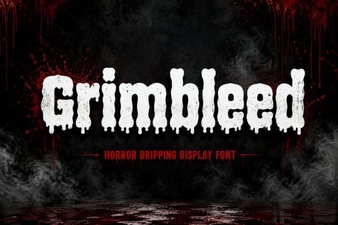 Grimbleed Font: a Bold Typographic Statement
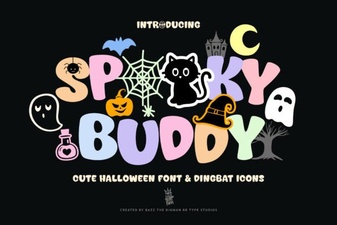 Spooky Buddy Font for Halloween Design Projects
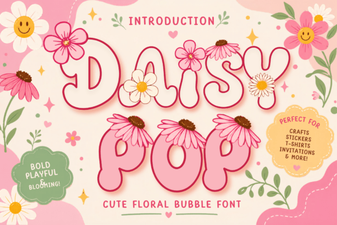 Daisy Pop Font: Fun Designs for Creative Projects
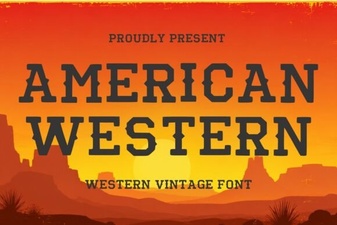 Designs & Projects Using American Western Fonts
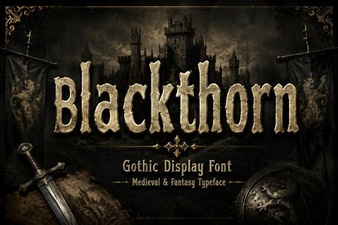 Blackthorn Font: a Modern Design Tool