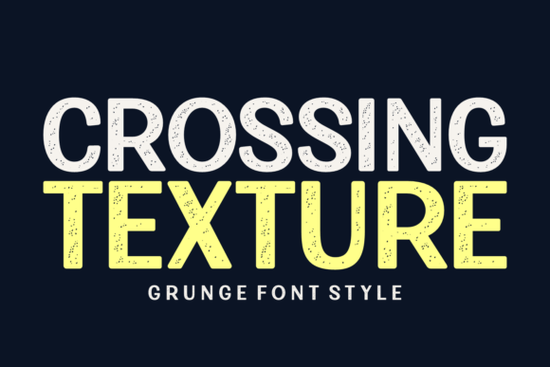
If you work with t-shirt designs, poster layouts, or branding for businesses that want a worn-in, rugged look, you have probably searched for typefaces that feel like they already have a story to tell. Crossing Texture Font fits that brief well. It is a display typeface with a strong military-inspired presence, combined with a grunge texture that mimics age and wear. The letters feel solid and commanding, but the distressed edges keep them from looking too polished or modern. That balance is what makes this font useful for a wide range of vintage and retro-themed projects.
What kind of projects does this font work best for?
Because the letterforms are bold and the texture is baked into the design, Crossing Texture Font works well in situations where you need the text to be readable from a distance while still carrying atmosphere. Think about:
- T-shirt graphics for vintage sports, army surplus, or retro brand designs.
- Poster and flyer headlines where you want a rough, hand-painted feel without actually painting anything.
- Logo drafts for businesses like barbershops, hardware stores, breweries, or any brand that wants to project durability and history.
- Merchandise for print-on-demand sellers, especially on items like mugs, caps, and hoodies where distressed typography fits the aesthetic.
- Packaging labels for small-batch products like hot sauce, coffee, or beard oil that lean into a rugged, old-school look.
If you browse other Crossing Texture Font examples in design marketplaces, you will notice it pairs naturally with solid backgrounds olive green, khaki, navy, or dark red where the stippled texture can really show.
How does the textured look actually hold up in use?
One concern with heavily distressed fonts is that the details might disappear when you scale the text small. Crossing Texture Font is a display typeface, so it is designed for larger sizes headlines, titles, short phrases. Using it at 36pt or above keeps the texture readable and the letter shapes clear. At smaller sizes, the grunge effect can start to muddy the characters, so save it for the main visual impact rather than body copy.
The font's texture is not an overlay you need to add yourself. It is built into the glyphs, which means you can use it directly in any design software without extra steps. If you prefer a cleaner variation, some designers layer a solid version of the same letter behind the textured one to create a slight outline effect. That trick helps the texture pop without losing contrast.
Pairing suggestions for designers
Because the font carries a lot of visual weight, pair it with something simple for supporting text. A clean sans-serif like Circuit Font works well for taglines, dates, or secondary information. The contrast between rough and clean keeps the layout balanced without competing. For a fully retro project, Grimbleed Font offers a similar distressed style but with a different base structure, so you can mix them if you need variety within the same visual language.
If you are building a full branding kit, consider adding a more neutral display option like Blackthorn Font for headers that need less texture, or look at a bundle like Trendy Mega Bundle Font if you want a range of styles for different products.
Does this font work for digital use, or is it just for print?
It works for both, but the context matters. On screen, the texture gives the design a tactile feel that stands out against clean modern interfaces. That makes it useful for social media graphics, YouTube thumbnails, and website hero sections where you want a rough, authentic vibe. Just make sure the background you place it on does not compete with the font texture. A solid color or subtle paper texture can help the letterforms stay readable. Avoid placing it over busy photographs unless you add a dark or light overlay behind the text.
For print-on-demand sellers, this font fits particularly well on products where the physical material already has some texture, like canvas totes, jersey t-shirts, or matte-finish mugs. The font's distressed look feels like it belongs on those surfaces naturally.
One practical thing to check before you buy
Look at the glyph set and language support if you plan to use special characters or accented letters. Many display fonts with heavy texture focus on standard uppercase and numerals, so confirm the font includes what you need for your specific project before committing to a design.
Should you use this font for a military or vintage project?
If the project needs to communicate strength, age, or a no-fuss attitude, Crossing Texture Font is a solid choice. Its stencil-like forms and rough edges recall military stencils, old factory signage, and weathered equipment labels. That does not mean it is limited to literal army themes. The same aesthetic works for anything that benefits from a handmade, imperfect look music festival branding, retro arcade posters, or product labels for artisan goods.
The key is not to force the texture into every design. Let the font do the heavy lifting and keep the rest of the layout simple. A straightforward layout with a bold headline, a clean subhead, and maybe a visible paper texture in the background is often enough to make the design feel finished.
Practical checklist before using Crossing Texture Font in your next project
- Reserve it for headlines and short phrases at 36pt or larger.
- Use a solid or lightly textured background so the distressed edges show clearly.
- Pair it with a clean sans-serif font for body text or secondary information.
- Test readability on your specific product mockup before finalizing a print run.
- Check the font's character set for any special glyphs you might need.
- Consider layering it over a solid duplicate of itself for extra contrast.
If you are a print-on-demand seller or a designer working on a vintage-themed project, try dropping this font into a simple mockup first. See how the texture interacts with your background color. Often, that quick test is enough to confirm whether it fits the feel you are going for.
Try It Free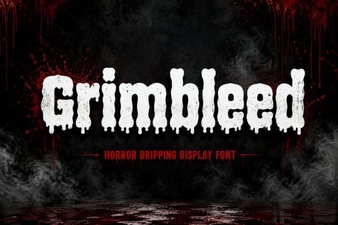 Grimbleed Font: a Bold Typographic Statement
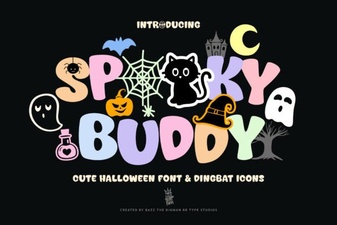 Spooky Buddy Font for Halloween Design Projects
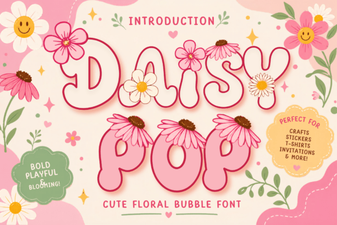 Daisy Pop Font: Fun Designs for Creative Projects
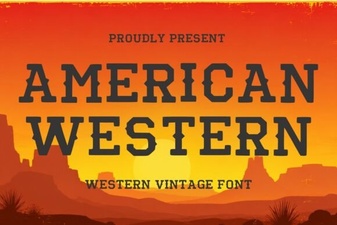 Designs & Projects Using American Western Fonts
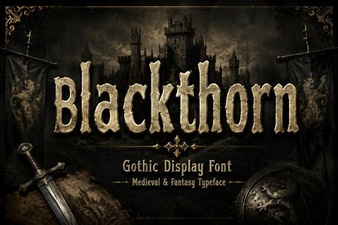 Blackthorn Font: a Modern Design Tool
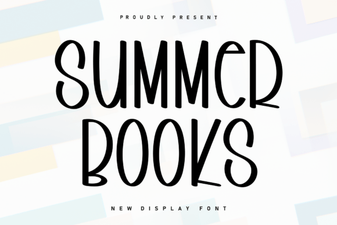 Fresh Summer Typography: Fonts for Book Projects