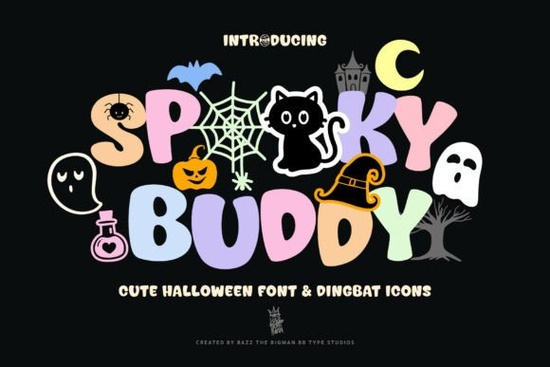
What makes Spooky Buddy Font different?
Most Halloween fonts go either fully scary or fully silly. Spooky Buddy sits somewhere in the middle – the uppercase letters have a chunky, friendly shape with subtle spooky details, while the lowercase keys become individual icons: ghosts, bats, pumpkins, spider webs, and more. The result is a typeface that feels approachable rather than intimidating. The dingbat set is thoughtfully designed. Instead of random clip art, each icon matches the overall style of the font. You get consistent line weights and a uniform hand-drawn feel, which means a poster or a shirt design won’t look like a collage of mismatched elements. For crafters who sell on platforms like Etsy or Amazon, this consistency can save hours of editing. Another practical point: the icons are mapped to lowercase letters, numbers, and punctuation. That gives you a lot of flexibility. You can create full-word designs with uppercase, then swap a letter or two to lowercase to insert a bat or a ghost. It also means you can use it in any software that supports OpenType features – no need for separate symbol panels or character maps.How can you use Spooky Buddy Font in your projects?
Because the font works as both a headline face and an icon set, the project possibilities are broad:- Party invitations & flyers – the bold letters read well at small sizes, and the icons add instant Halloween flavor without extra graphics.
- T-shirt and tote bag designs – a single word like “BOO” with the “o” replaced by a ghost icon makes a simple, sellable print.
- Stickers and labels – the icons work on their own as standalone stickers, especially the spider and cat motifs.
- Classroom and homeschool activities – teachers can print coloring pages or name tags with the cute spooky characters.
- Cricut and SVG-cut projects – weld the letters and icons together for signs, garlands, or treat boxes.
Is Spooky Buddy Font suitable for commercial products?
Yes, most fonts on Creative Fabrica come with a commercial license included with the subscription or purchase. Spooky Buddy is a display font, and you can use it in physical products like t-shirts, mugs, and stickers that you sell. Digital products (like printable invitations or SVG cut files) are also allowed under the standard license – but always double-check the specific license file that comes with the download. If you plan to sell millions of units or embed the font in an app, you might need an extended license. For small business owners and print-on-demand sellers, the commercial use is straightforward. Many crafters find that having a single font with both letters and icons reduces the number of assets they need to buy, which makes creative decisions faster.Tips for designing with Spooky Buddy Font
- Use uppercase for main text, lowercase for accents. Type your headline in uppercase, then swap one or two letters to lowercase to insert icons. For example, “TRICK OR TREAT” – replace the “O” in “OR” with a ghost icon.
- Layer the font with a solid background. The bold shapes stand out well on dark backgrounds. A black or deep purple fill behind white or yellow letters makes the icons pop.
- Pair it with a simple script font. Because Spooky Buddy is a blocky display face, it pairs nicely with a flowing script for subheadings or names. You can find complementary fonts in the mega seasonal bundle of display fonts on Creative Fabrica.
- Experiment with spacing. Increase the letter spacing slightly when using icons – it prevents the icons from looking cramped, especially if you use multiple in a row.
- Test at actual production size. What looks good on screen might change when printed. Always run a test print before running a full batch of shirts or stickers.
Other fonts you might like
If you enjoy the mix of letters and icons in Spooky Buddy, you might also find Daisy Pop Font useful – it has a similarly playful feel, though with a flower theme instead of Halloween. For a bolder, Western-inspired look, check out American Western Font. And if you need a more versatile, hand-drawn style for everyday projects, Inkvera Font pairs well with seasonal designs.
For a broader collection of themed display typefaces, the mega seasonal bundle includes dozens of fonts that work across holidays – worth a look if you build seasonal product lines.
As an end-of-article tip: before you start a new project, open a blank document and type a couple of sample phrases using Spooky Buddy. Try one word in full uppercase, then the same word with lowercase icons inserted. See which combination feels most balanced. This quick test will save you guesswork later and help you decide exactly how to use the dingbats to make your design stand out.
Try It Free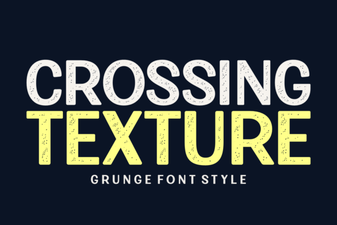 Textured Typography: Design Styles and Font Pairings
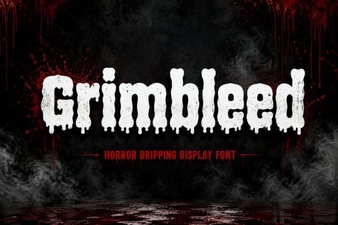 Grimbleed Font: a Bold Typographic Statement
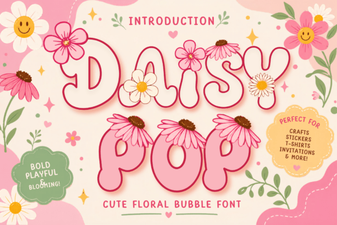 Daisy Pop Font: Fun Designs for Creative Projects
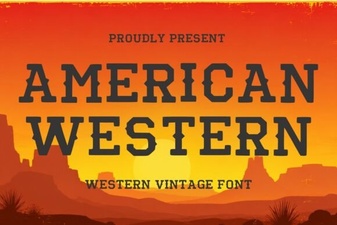 Designs & Projects Using American Western Fonts
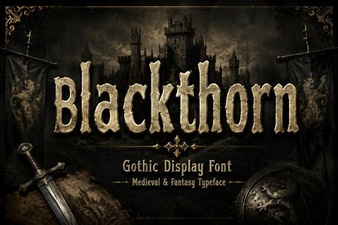 Blackthorn Font: a Modern Design Tool
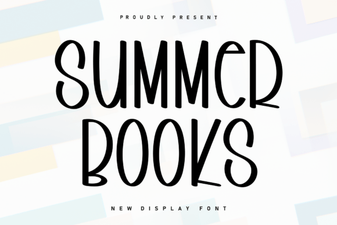 Fresh Summer Typography: Fonts for Book Projects