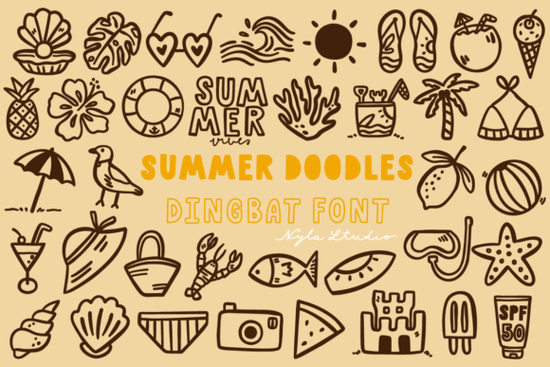
If you've ever struggled to find just the right summer-themed icon or doodle for a project, a dedicated dingbats font can save hours of searching. The Summer Doodles Font is a playful set of summer-themed characters that you type like a regular font, but instead of letters and numbers, you get cute illustrations and icons.
What exactly is a dingbats font?
A dingbats font (also called a pi font or ornamental font) replaces standard keyboard characters with symbols, icons, or decorative elements. Instead of typing an "A" you get a sun, a beach ball, or a popsicle. The Summer Doodles Font works exactly like this each key on your keyboard maps to a different summer-themed doodle. This makes it incredibly easy to add hand-drawn style art to any project without needing illustration skills.
What kind of icons come with this font?
This particular dingbats font is built around classic summer imagery. You can expect playful doodles like:
- Sun, clouds, and rainbows
- Beach balls, flip flops, and sunglasses
- Popsicles, ice cream cones, and watermelon slices
- Palm trees, seashells, and starfish
- Surfboards, sailboats, and ocean waves
- Sandcastles, beach umbrellas, and towels
- Fun summer phrases and word art in doodle style
The linework has a casual, hand-sketched feel that suits modern, relaxed designs. It's not overly detailed or realistic it's meant to feel fun and approachable.
What can you actually make with this font?
Because the Summer Doodles Font gives you individual icons that you can scale, rotate, and color, it works well across many types of projects. Here's how different creatives might use it:
For print-on-demand sellers
T-shirt designs are an obvious fit. You can arrange multiple doodles into a pattern, create a simple centered icon for a minimalist tee, or pair a doodle with a witty phrase. The font also works well for mugs, tote bags, and throw pillows. Beach towels with large-scale doodle patterns could be a seasonal hit.
For greeting card and stationery designers
Summer birthday cards, graduation congratulations, and vacation postcards all benefit from playful summer imagery. You can layer, combine, and recolor the doodles to match your brand colors. The font also works nicely for wedding shower or backyard BBQ invitations.
For small business owners
If you run a local café, ice cream shop, or beachside boutique, you could use these doodles on social media graphics, window signs, or packaging labels. A simple ice cream cone doodle on a brown paper bag adds a personal touch without hiring a graphic designer.
For crafters and scrapbookers
Print out the doodles, cut them out, and use them as stickers or embellishments. You could also cut them with a die-cutting machine (like Cricut or Silhouette) if you convert the text to outlines. Digital scrapbook layouts become more playful with themed icons sprinkled throughout.
For party and event planners
Summer pool parties, luaus, and backyard barbecues need matching decorations. Use the font to create custom banners, cupcake toppers, favor tags, and signage. The hand-drawn style keeps everything looking cohesive and charming.
How do you use the Summer Doodles Font in your projects?
Using a dingbats font is straightforward, but there's a small learning curve if you've never used one before:
- Install the font on your computer (both .otf and .ttf formats are included).
- Open any design software that supports fonts this includes Canva, Adobe Illustrator, Photoshop, Affinity Designer, Cricut Design Space, or even Microsoft Word.
- Select the Summer Doodles Font from your font menu.
- Type keyboard characters to see what icon each key produces. Most designers use a "glyph map" or character viewer many programs have this built in, or you can use a free online tool to see the full icon set at a glance.
- Copy, paste, and arrange the icons you want. Treat each one like a separate graphic element. You can change the color, size, and rotation freely.
What's included in the download?
When you purchase this product, you get both common font file formats:
- Summer doodles.otf (OpenType format)
- Summer doodles.ttf (TrueType format)
Having both means it works on Windows, Mac, and Linux systems without compatibility issues. The .otf format often offers better typographic features, while .ttf is the most universally supported. Both will give you the same set of doodle icons.
Who is this font best suited for?
If any of these describe you, this dingbats font is likely a good fit:
- You sell print-on-demand products and want seasonal designs that don't require custom illustration work.
- You design social media content for summer promotions and need quick, cohesive graphics.
- You craft physical items like cards, scrapbooks, or party decorations and like having themed elements at your fingertips.
- You run a small business and want to brand your summer marketing materials with a consistent, playful style.
- You're a designer who wants to add hand-drawn texture to layouts without buying individual icon sets.
Quick tips for getting the most out of this font
Pair it with a simple sans-serif like Montserrat or Poppins for readability. Use the doodles as bullet points, section dividers, or background patterns. Recolor them to match your brand palette. For T-shirts, try a single large doodle in the center with text above or below it keeps the design clean and scalable.
A practical next step: open your design software, type a few characters from the Summer Doodles Font to see the full set, and save a reference sheet with every doodle visible. This makes future projects much faster because you can spot the perfect icon without guessing which key triggers it.
Try It Free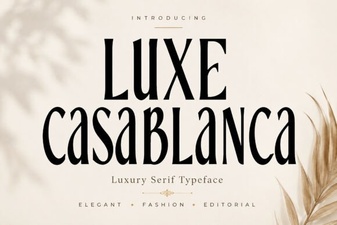 Luxe Casablanca: Elegant Typography for Your Designs
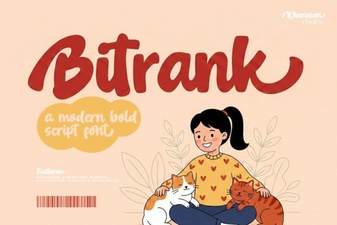 Bitrank Font: Design Ideas and Creative Uses
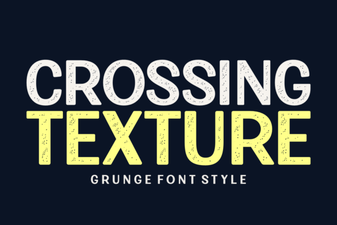 Textured Typography: Design Styles and Font Pairings
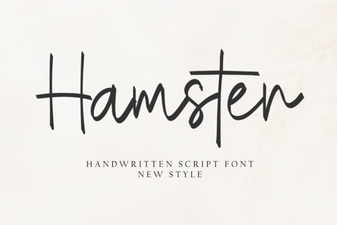 The Hamster Font: Design and Creative Uses
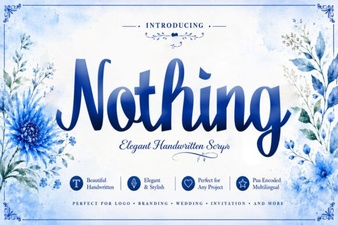 Nothing Font: a Minimalist Design Tool for Creatives
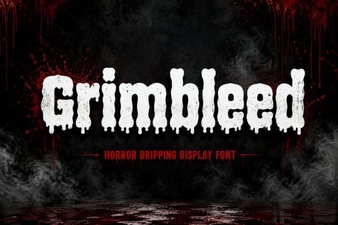 Grimbleed Font: a Bold Typographic Statement