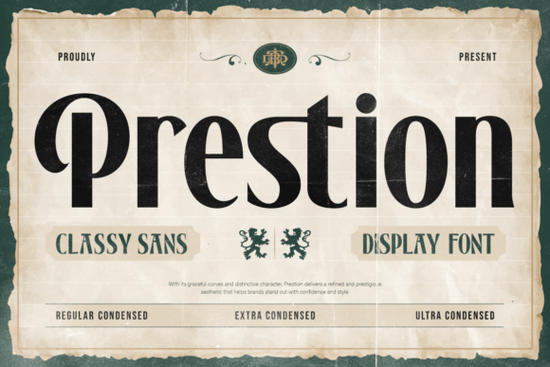
If you’ve ever struggled to fit bold typography into a tight layout without losing personality, the Prestion Font might be exactly what you need. It’s a condensed classy sans serif display font that packs a strong vertical structure into a narrow width, so you can create headlines, signage, or branding that stands out even when space is limited. Instead of squishing letters until they look awkward, Prestion keeps readable proportions while saving horizontal space.
What makes Prestion Font different from other condensed fonts?
Many condensed fonts sacrifice personality to fit more characters per line. Prestion takes the opposite approach. It’s built with refined curves, tall proportions, and tight spacing that recall vintage newspapers and classic signage. The result is a style that feels both powerful and elegant, not cramped.
Prestion comes in multiple condensed widths, from Regular Condensed to Ultra Condensed. That means you can choose how narrow you need to go while keeping the same visual family. Each variant is carefully drawn to maintain legibility even at small sizes, which matters a lot for editorial layouts, posters, and product packaging.
What are the main styles available?
- Regular Condensed – ideal for subheadings and short paragraphs where you still want a bit of breathing room.
- Medium Condensed – a balanced middle ground, good for branding elements that need to be noticed but not overpowering.
- Bold Condensed – makes a clear statement in navigation bars, sale banners, or social media graphics.
- Ultra Condensed – the thinnest version, perfect for fitting long headlines into narrow spaces like vertical posters or mobile app headers.
The range of weights means you can create contrast within the same design without jumping between different font families. For example, use Ultra Condensed for the main headline and Regular Condensed for supporting text, keeping the whole project visually unified.
How can I use Prestion Font in real projects?
This font is built for designers who regularly work with limited horizontal space. Think about product labels, book covers, YouTube thumbnails, or business cards. The vertical emphasis draws the eye down, which works well in vertical formats like smartphone screens or tall banners.
If you run a print-on-demand shop, Prestion can help your designs fit better on mugs, pillows, and apparel without wrapping awkwardly. It also suits editorial layouts where you need to squeeze extra characters into a column without redesigning the grid.
For branding, the condensed silhouette feels both modern and nostalgic. It pairs nicely with a clean sans serif for body copy, or even with a serif for a vintage contrast. Small business owners often look for fonts that make logos look professional without taking up too much real estate on packaging or signage.
Is Prestion Font suitable for print-on-demand sellers?
Absolutely. Print-on-demand (POD) sellers need fonts that remain readable when printed on fabric, ceramic, or textured surfaces. Prestion’s strong, consistent stroke widths help prevent blurring or distortion. The condensed shapes also mean you can fit longer quotes or brand names on smaller items like phone cases or earring cards.
Because the font comes in multiple condensed styles, you can test which width works best for each product type. Mockups become much easier when you don’t have to manually kern or resize as much.
What about readability – will people actually be able to read it?
Yes. Despite being condensed, Prestion keeps open counters (the spaces inside letters like “e” or “a”) and balanced ascenders and descenders. That careful spacing is what makes it readable even at medium sizes. The inspiration from vintage newspaper typography means it was originally designed to be scanned quickly. Your readers won’t have to squint, whether they’re looking at a headline on a bus shelter or a subhead in a magazine.
To get the best readability, avoid setting whole paragraphs in the Ultra Condensed style. Instead, use it for short, impactful lines. For sentences or longer blocks, the Regular or Medium Condensed weights give a much better reading experience.
How does Prestion compare to other condensed sans serifs?
Many condensed fonts feel too technical or cold. Prestion brings a subtle warmth through its refined curves – the letters aren’t purely straight lines. The “S” and “C” have a gentle roundness that softens the overall look. That makes it more versatile for lifestyle brands, fashion labels, or craft businesses.
If you need a condensed font with a more geometric feel, you might also like Skyfall Font, another strong sans serif option from the same library. Skyfall leans more modern and edgy, while Prestion stays closer to classic sign painting roots. Both can work together if you want to mix styles across a brand system.
A practical checklist before you download Prestion
- Decide which condensed width fits your primary use case – if you mainly work on posters, try Bold Condensed; for social media cards, Medium Condensed is a safe bet.
- Pair it with a complementary body font – a neutral sans serif like Open Sans or a lightweight serif keeps the focus on Prestion’s headline presence.
- Test readability at your target size – print a mockup or simulate the final display to make sure the spacing works.
- Consider your brand tone – Prestion suits professional, established, or nostalgic identities. If your brand is playful or hand-drawn, it may feel too structured.
- Use the regular width for longer text – only go ultra condensed for short, punchy lines.
You can download Prestion Font directly from Creative Fabrica and start experimenting with its different condensed styles. For more options in the same category, have a look at the Prestion product page or explore other sans serif display fonts to build your typography toolkit.
Explore Design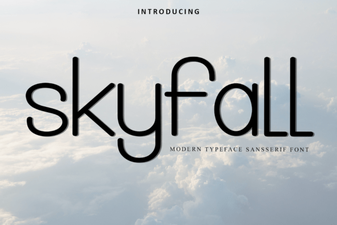 Skyfall Font Design & Download Guide
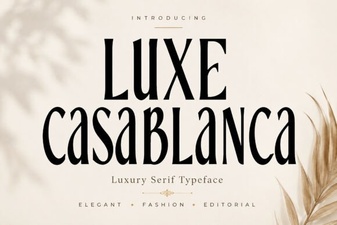 Luxe Casablanca: Elegant Typography for Your Designs
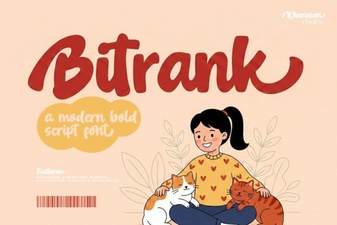 Bitrank Font: Design Ideas and Creative Uses
 Textured Typography: Design Styles and Font Pairings
 The Hamster Font: Design and Creative Uses
 Nothing Font: a Minimalist Design Tool for Creatives